
macOS + iPadOS · Network File Operations
Copy from every source,
all at once.
MultiSourcery discovers and identifies devices, browses local and network files, and moves data across SMB, SFTP, NFS, WebDAV, rsync and more. The Mac edition adds mirrored folder groups and deeper network inspection; the iPad edition brings the same core workspace to a touch-first device.
Keeps many folders in the same state
Then reads large files from all of them at once
Visual network topology map
Color-coded by host type
Up to 13 protocols
SMB, SFTP, NFS, WebDAV, rsync & more
Swarm P2P distribution
Coordinate Macs, iPads and browsers
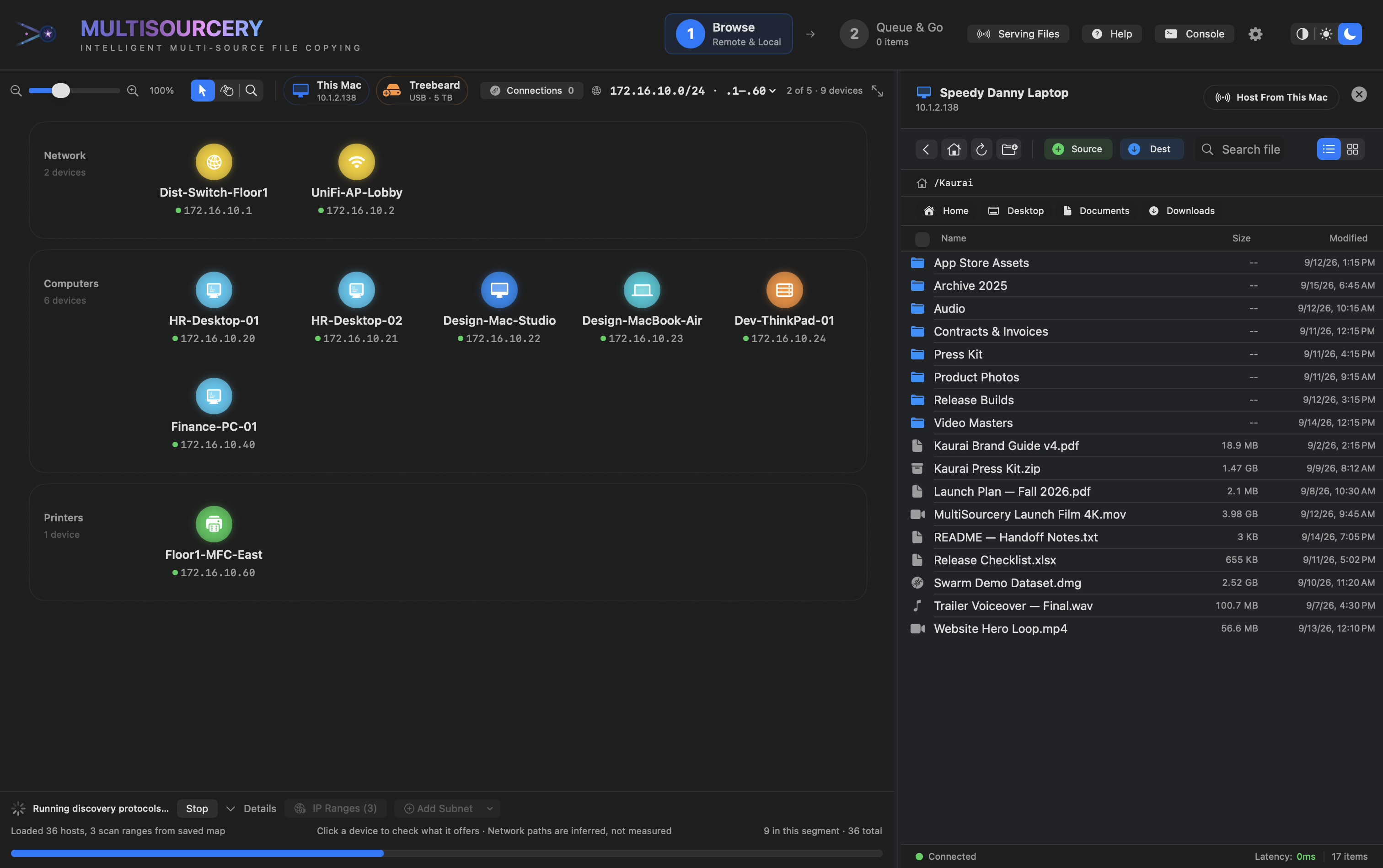
How it works
Three steps from “where is that file?” to “done.”
No command lines or share paths to memorize. MultiSourcery finds what’s on your network, lets you pick files like you would in Finder, and copies them wherever they need to go.
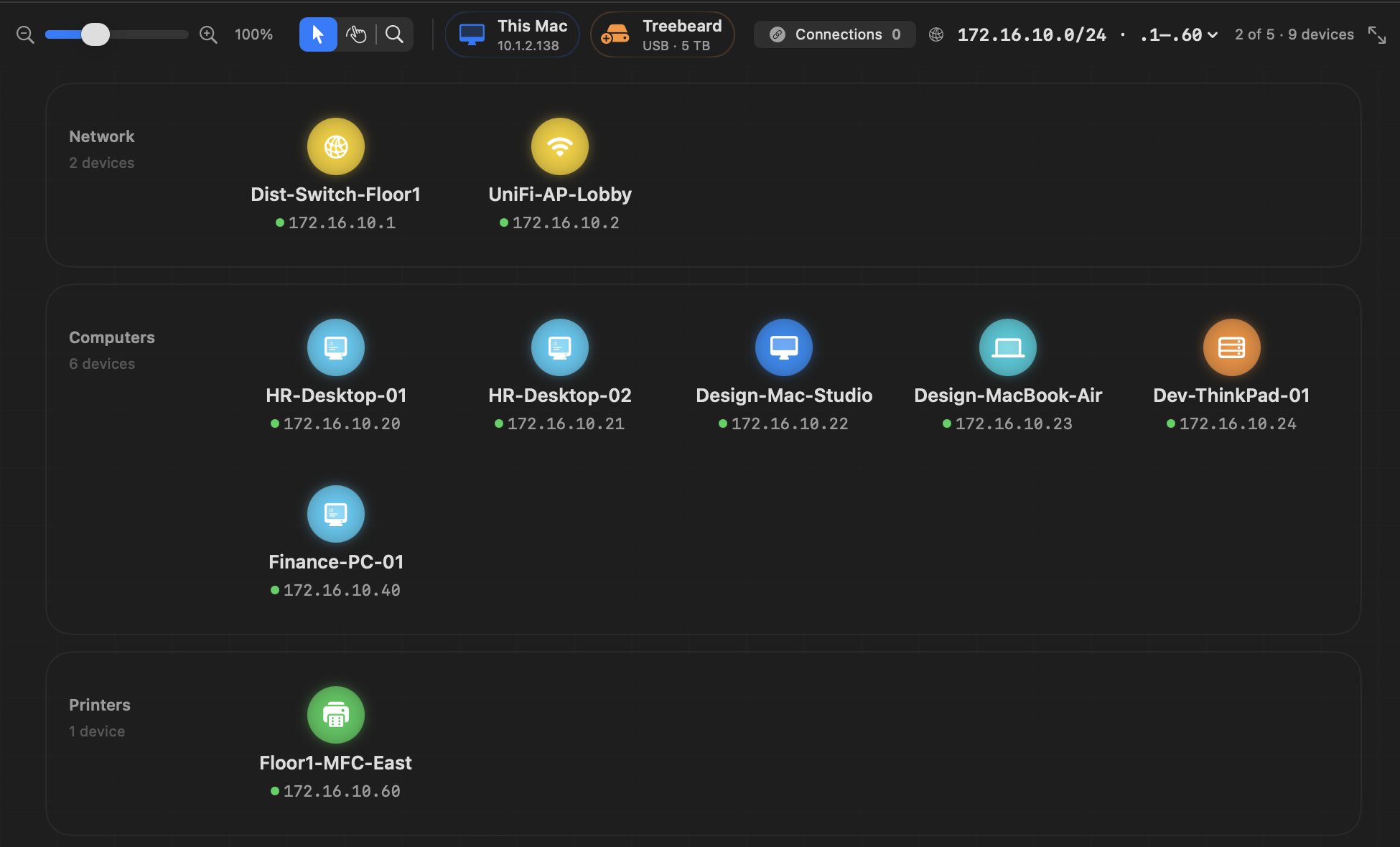
See what’s nearby
Open the app and your network appears as tidy groups — routers, computers, phones and tablets, TVs, and attached drives — each with a friendly name.
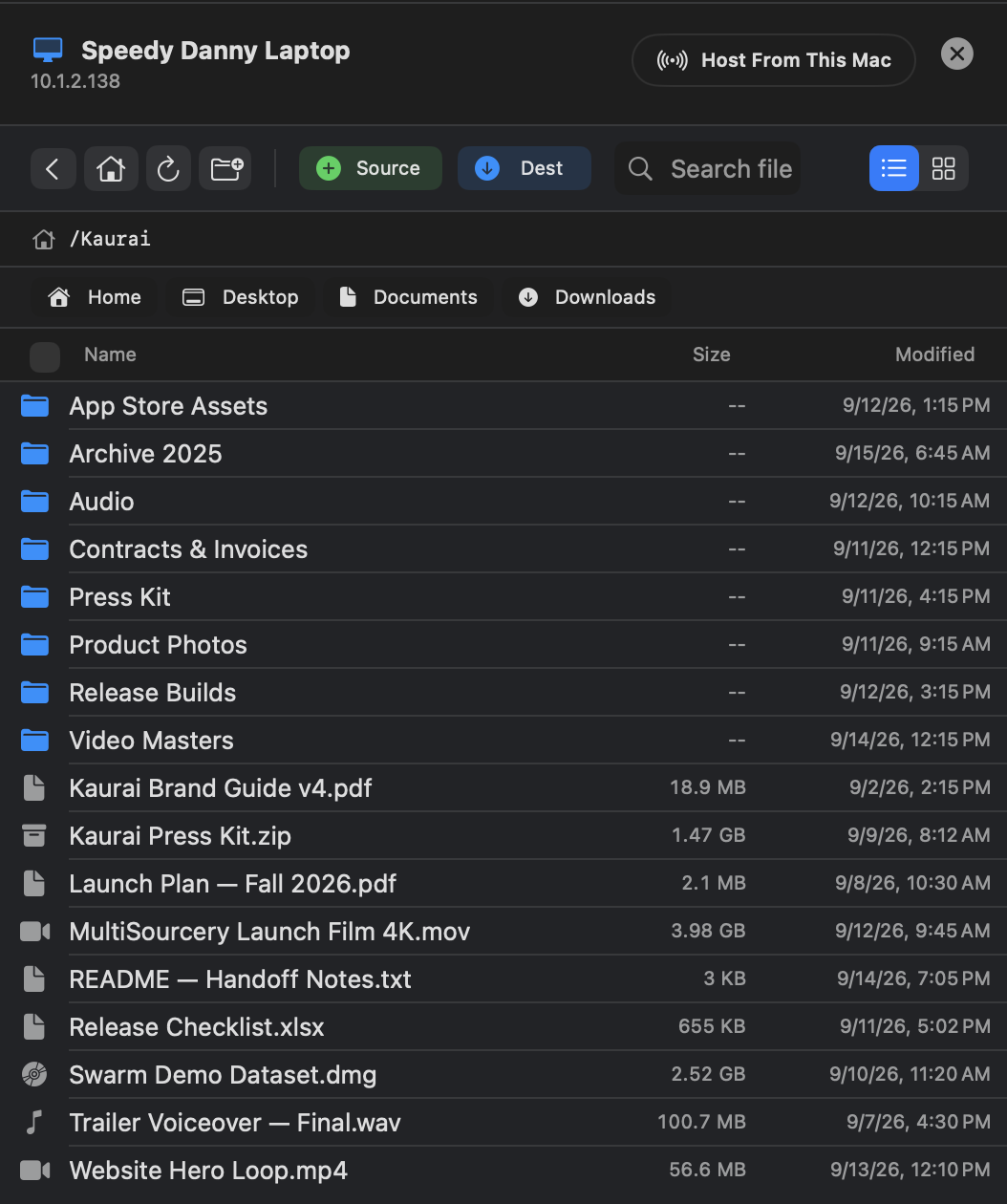
Pick your files
Click a Mac, drive, or server to browse it. Select files or whole folders, then press Source for what to copy or Dest for where it should land.
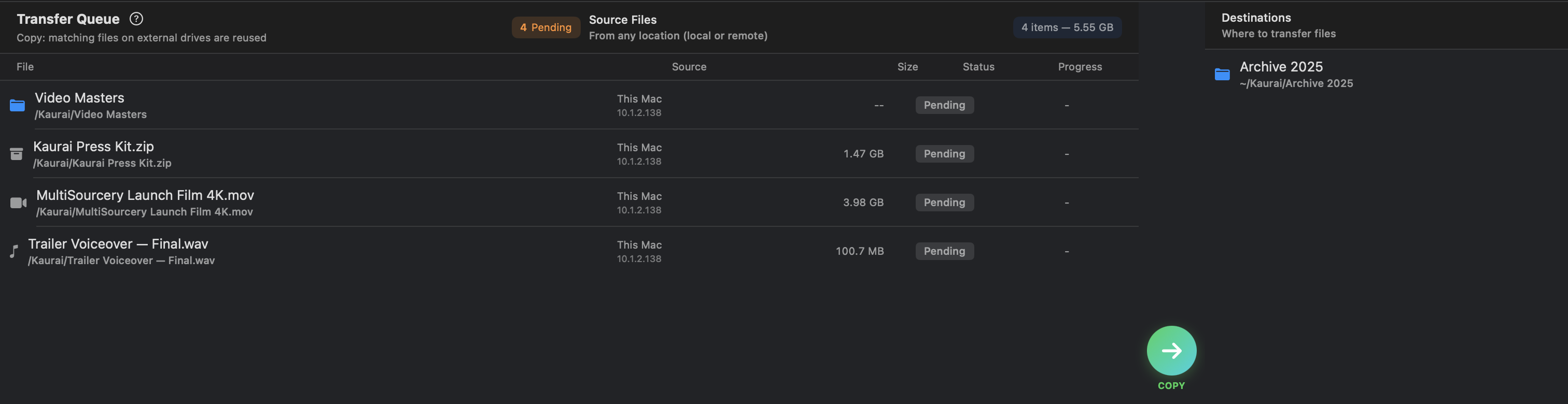
Queue and Go
Review everything in one queue — sizes, sources, and destinations — then press Go. Transfers run in parallel and are verified when they finish.
Video Guides
Watch the real app: copying with Queue & Go, trusting a device, Swarm to an iPad, and calibration.
MultiSourcery for iPad
See the touch-first workspace, local file access, client protocols, foreground hosting, and Swarm support.
Feature Reference
See the complete capability list — protocols, mirrored locations, Swarm distribution, and more.
Apple Network Discovery
See how the Mac and iPad apps identify nearby Apple devices, storage, routers, extenders, and services.
Help & Troubleshooting
Step-by-step guidance for discovery, Apple file sharing, queues, hosting, and Swarm distribution.
Support + Issues
Open bug reports or check current known issues on GitHub.